Step-by-Step Guide to Crafting a Stylish Lookbook That Sells

Step-by-Step Guide to Crafting a Stylish Lookbook That Sells

Why a Lookbook Is Your Best Sales Tool

A stylish lookbook turns product photos into a compelling story that inspires purchases. This guide walks you through concept, styling, shooting, editing, and promotion, offering clear, actionable steps, practical tips, and templates so your collection consistently converts browsers into buyers.

What You'll Need

Camera or photographer hire
Mood-board tools (Pinterest, Canva)
Stylist or styling plan
Models or mannequins
Layout software (InDesign, Canva)
Basic analytics tools
Collector's Essential
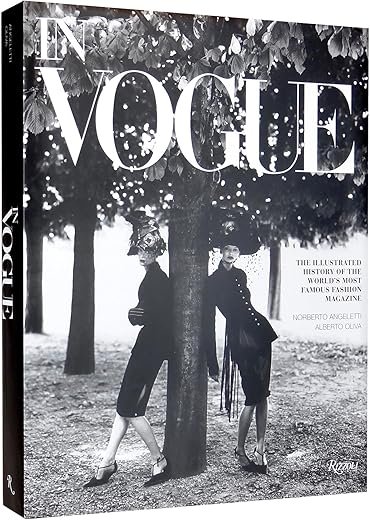
In Vogue: Illustrated History of Vogue Magazine
Definitive visual history of fashion publishing
A richly illustrated history tracing Vogue’s rise and influence, featuring hundreds of covers and archival images. Ideal for fashion, photography, and media enthusiasts who want a comprehensive visual reference.

1

Define Your Brand Story and Target Audience

Who are you talking to — and what's their wardrobe obsession?

Clarify the emotional story your brand will tell and the exact demographic you want to reach. Write a one-line brand narrative (e.g., “Effortless urban basics for creative professionals”) and build three buyer personas with age, income, lifestyle, and shopping habits.

Identify and document:

Lifestyle & values — weekend routines, hobbies, aesthetic preferences
Price sensitivity — budget, mid-market, premium buyers
Visual voiceminimalist, playful, or luxurious (give styling cues)

Choose objectives so every creative decision is measurable: awareness, direct sales, or wholesale outreach. For example, a luxurious voice uses moody lighting and texture close-ups; a playful voice uses bold color and candid models. A tightly defined direction reduces wasted shoots and ensures the lookbook speaks directly to buyers’ desires.
Best Resource
Creating a Brand Identity: Practical Guide for Designers
Step-by-step branding process and case studies
A practical guide that explains the creative process behind successful brand identities, with exercises, flow charts, and real-world case studies. Useful for students, designers, and agencies learning naming, logo design, and brand launches.

2

Plan the Concept, Mood, and Shot List

A mood board that sells before a single photo is taken.

Translate your brand story into concrete visuals. Build mood boards with color palettes, textures, poses, locations, and props that match your narrative. Decide which are hero looks and which are supporting pieces, and note how each should be photographed.

Mood board elements: color swatches, texture samples, reference photos, lighting references, pose ideas, location & prop lists.
Shot types to plan: full-body, detail close-ups, editorial lifestyle, flat lays.
Sequence: introduction (brand context), peak (hero looks), resolution (details & buying shots).

Sequence shots to tell that visual arc—e.g., for an urban basics line: intro — street full-body; peak — motion/editorial hero; resolution — fabric & label close-ups and flat lays. Schedule test shots and build contingency time for weather, fittings, and reshoots.

Best Value
NEEWER Photography Lighting Kit with Backdrops
Complete studio kit for photo and video
A full starter studio kit including light stands, umbrellas, softboxes, LED bulbs, and three backdrops with a support system and carry bags. Great for photographers and videographers looking for an affordable, portable lighting solution.

3

Cast Models, Select Wardrobe, and Style Effectively

Can styling turn an outfit into pure aspiration?

Choose models who reflect your target audience or tell a deliberate aspirational story — e.g., cast a 28–35 urban professional for workwear, or a college-aged model for campus looks.

Prepare wardrobe with complete looks: pair garments with accessories, shoes, and proper undergarments so every outfit fits and photographs correctly. Pack ironed pieces and a tailor on-call.

Plan fittings and create a clear order for swaps; label looks 1–10 and bring backup pieces for every hero item.

Tailor & press garments before the shoot.
Create scenario styling: work, weekend, date night; show layered versatility (tee + blazer + coat).
Coordinate hair & makeup to match the mood board.
Bring quick-change tools: pins, double-sided tape, clips.

Choose models who reflect your target audience or tell a deliberate aspirational story. Prepare wardrobe with complete looks, including accessories, shoes, and undergarments for proper fit. Prioritize tailoring and ironed garments—small details sell. Use styling to communicate usage scenarios (work, weekend, date night) and demonstrate versatility with layered looks. Create a fitting order and backup pieces for quick swaps. Collaborate closely with hair and makeup to ensure looks are consistent with the mood board. Strong styling will make even simple garments feel premium and clickable.

Must-Have
Rilista Women's Slingback Kitten Heel Pointed Pumps
Comfortable vintage-style heels for events
Faux leather slingback pumps with a 2.75″ kitten heel, pointed toe, and adjustable buckle for a secure fit. Versatile and stylish for weddings, parties, work, or everyday wear.

4

Shoot with Purpose: Composition, Lighting, and Sequence

Forget random snaps — shoot a narrative that converts.

Focus on storytelling through composition and lighting; set an intention for every frame. Use natural light for soft lifestyle images (e.g., a window-lit café) and controlled strobes on white sweeps for crisp product clarity. Frame each shot with intent: lead the eye, leave breathing space, and vary scale with wide, mid, and detail images.

Lead the eye with lines or gestures.
Leave breathing space around the subject.
Vary scale: wide scene, mid-length, close detail.
Mix motion + hero: candid movement for authenticity, static hero for product pages.

Maintain consistent color and exposure to speed editing. Record notes on each setup (lens, focal length, modifiers, power). Think in sequences so every image slots into the final flow of the lookbook.

Best for Creators
Neewer 13-inch Bi-Color LED Video Light Kit
Portable bi-color panels with long battery life
Two dimmable bi-color LED panels (3200–5600K) with high CRI, built-in 8000mAh battery, and lightweight stands for on-the-go shooting. Ideal for streamers, vloggers, makeup artists, and small studio setups.

5

Edit, Sequence, and Design Your Lookbook Layout

Good editing makes your clothes irresistible—less is often more.

Cull ruthlessly: remove any shot that doesn’t advance the story or drive purchase intent. Keep hero frames, key details, and lifestyle spreads that show usage.

Edit for color fidelity and skin tones: match white balance across sets, correct exposure, and keep consistent contrast. For example, adjust a café lifestyle set to warmer tones but keep product color true.

Sequence images to build rhythm: alternate full looks and detail shots (hero outfit → zipper/button close-up → model in motion), insert two-page lifestyle spreads, and finish with clear CTAs.

Design layout with clear hierarchy:

Bold covers and section opens
Captions that sell benefits (e.g., “breathable linen for all-day comfort” vs. “100% linen”)
Consistent typography and spacing
Include product codes, pricing, and shop links/QR codes

Test readability on mobile and desktop and ensure links/QR codes work.
Editor's Choice
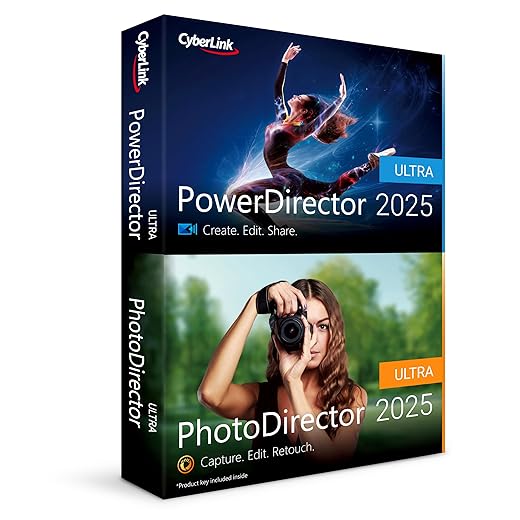
CyberLink PowerDirector and PhotoDirector 2025 Ultra Suite
AI-powered video and photo editing tools
A Windows editing suite that combines AI-driven video and photo tools like auto face blur, body effects, blending modes, and one-click retouching. Designed to speed up editing workflows for creators and enthusiasts.

6

Publish, Promote, and Measure Sales-Driven Performance

Publish smart, track results, and tweak to double ROI.

Choose distribution channels: create a downloadable PDF for press and retailers, build a shoppable web gallery, and run targeted email and social campaigns.

Use UTM links to track clicks, time on page, and conversion rates; for example tag hero-spread links with utm_content=hero_spread to see which layouts drive purchases.

A/B test cover images, CTAs, and sequencing—compare a lifestyle cover vs. a product-grid cover, and “Shop Now” vs. “Explore the Edit” CTAs to identify higher CTRs.

Repurpose lookbook assets into social ads, story tiles, and product pages to boost reach and keep creative consistent across channels.

Gather feedback from retail partners and customers and treat the lookbook as a living campaign—iterate layouts, messaging, and distribution to improve sell-through and ROI with each release.


Ready to Turn Style into Sales

Follow these steps to craft a cohesive, commercial lookbook that converts: plan intentionally, style thoughtfully, shoot strategically, and track results. Try it on your next collection, share your outcomes, and join our community of creators—start building sales confidently now today.

«
»

57 responses to “Step-by-Step Guide to Crafting a Stylish Lookbook That Sells”

  1. Jacob Lee Avatar
    Jacob Lee

    Made my first lookbook after following steps 1–5. Sales bumped 18% in two weeks. Not perfect, but proof the process works. 🎉

    1. Sophia Gomez Avatar
      Sophia Gomez

      Love this! Mind sharing what you changed in the promo step? I always flounder on distribution.

    2. Ava Wilson Avatar

      Amazing result, Jacob! Love to hear the real-world impact — congrats.

  2. Noah Patel Avatar
    Noah Patel

    Pretty thorough guide. Would love to see more examples of CTAs optimized specifically for lookbooks — most CTAs I see are weak.

    1. Ava Wilson Avatar

      Good call. We’ll add CTA templates (e.g., limited-time bundle, size-limited drop, ‘shop the page’ links) in the next revision.

    2. Rachel Moore Avatar
      Rachel Moore

      Try embedded product links inside the lookbook with scarcity language. Drives urgency better than generic ‘shop now’.

  3. Priya Shah Avatar
    Priya Shah

    Huge fan of the ‘Define Your Brand Story’ chapter. Felt like someone finally told me to stop trying to be everything to everyone. 👏

    1. Ava Wilson Avatar

      Totally — specificity wins. Glad it resonated!

    2. Lily Nguyen Avatar
      Lily Nguyen

      Same here. Narrowing my audience actually made the styling choices simpler. Also saved me from overbuying props 😂

  4. Hannah Price Avatar
    Hannah Price

    Wanted more on casting: how to find diverse models on a tight budget? Any recs besides IG DMs?

    1. Rachel Moore Avatar
      Rachel Moore

      Post a clear brief and pay even a small fee. It attracts more reliable folks than ‘exposure’ posts.

    2. Anthony White Avatar
      Anthony White

      Community colleges often have fashion or theatre students eager for portfolio work — win-win.

    3. Ava Wilson Avatar

      Local classifieds, model schools, community groups, and student photographers are great. Also consider TFP (time-for-prints) collabs.

  5. Daniel Kim Avatar
    Daniel Kim

    Constructive: The section on print vs digital could use more depth. Paper stocks, bleed settings, and color profiles deserve a deeper dive.

    1. Lily Nguyen Avatar
      Lily Nguyen

      Agreed. I ruined a print run once by forgetting bleed. Never again 😅

    2. Ava Wilson Avatar

      Valid point, Daniel. We’ll expand technical print specs and add a printable checklist for designers.

    3. Alex Morgan Avatar
      Alex Morgan

      CMYK proofing on a calibrated press profile saved me recent headaches. Worth the extra step.

  6. Lily Nguyen Avatar
    Lily Nguyen

    Okay real talk: I tried to DIY the whole thing and spent 3 days on editing. Any fast presets or edit workflows you swear by? 😅

    1. Olivia Brown Avatar
      Olivia Brown

      If you want, I can send my basic workflow steps. Simple and fast.

    2. Ava Wilson Avatar

      Batch edits in Lightroom, use a base preset and tweak per image. Save separate presets for skin tones, outdoor, studio—saves loads of time.

    3. Jacob Lee Avatar
      Jacob Lee

      I buy presets from smaller creators — cheaper and more unique than the big packs.

    4. Noah Patel Avatar
      Noah Patel

      Pro tip: edit on calibrated monitor if you can. Saves surprises when printed.

  7. Rachel Moore Avatar
    Rachel Moore

    This is great for indie brands. One small gripe: the promo calendar felt generic. Would love a sample 8-week launch plan tailored to seasonal drops.

    1. Ava Wilson Avatar

      Good idea — a detailed 8-week calendar is a perfect add-on. We’ll draft one for seasonal and evergreen drops.

    2. Hannah Price Avatar
      Hannah Price

      I use a shared Trello board for launches — DM me and I’ll share the template!

    3. Sophia Gomez Avatar
      Sophia Gomez

      Seasonal = start earlier for photo scouting and influencer outreach. Trust me on that one.

    4. Priya Shah Avatar
      Priya Shah

      Yes! Even a simple template with cadence for emails, IG stories, and paid ads would be amazing.

  8. Miguel Torres Avatar
    Miguel Torres

    Not gonna lie, the lighting tips were a game-changer. I always struggled with flat images.

    Question: any quick on-shoot tricks when natural light goes flat midday?

    1. Olivia Brown Avatar
      Olivia Brown

      I carry a collapsible silver/gold reflector and a cheap white diffuser. Saves the shoot more times than I can count.

    2. Ethan Brooks Avatar
      Ethan Brooks

      Also, switch to lens with more contrast or tweak exposure to keep textures popping. Or embrace the flat look for a day — it’s a vibe sometimes.

    3. Ava Wilson Avatar

      Use a 1-stop diffuser or shoot in open shade. Reflectors are your friend to add fill. And try backlight + reflector for a soft rim.

  9. Sophia Gomez Avatar
    Sophia Gomez

    Fun tip: when styling, group outfits by ‘wearability’ so customers see what they’d actually wear in their daily life. Makes the book feel less aspirational and more buyable.

    Also — shoutout to the throwaway prop list in section 3. Saved a last-minute panic!

    1. Miguel Torres Avatar
      Miguel Torres

      Also include a quick list of ‘where to wear’ blurbs in captions. Helps shoppers imagine the piece in their life.

    2. Ava Wilson Avatar

      Yes! Practical styling helps conversion. Glad the prop list was useful 😊

    3. Anthony White Avatar
      Anthony White

      Totally — showing the ‘real-world’ context makes items feel attainable.

  10. Marcus Reed Avatar
    Marcus Reed

    Small rant: the layout software recommendations were a little light. I use Affinity Publisher and it’s solid, but a pros/cons list would help newbies.

    1. Daniel Kim Avatar
      Daniel Kim

      InDesign > Affinity for complex grids, but Affinity is great value. Depends on how detailed you need to be.

    2. Lily Nguyen Avatar
      Lily Nguyen

      Can also add Canva for quick digital lookbooks — not as precise but fast and cheap.

    3. Ava Wilson Avatar

      Good point, Marcus. We’ll expand that section with pros/cons and price tiers in an update.

  11. Ethan Brooks Avatar
    Ethan Brooks

    Wanted to add: sequence your images like a runway show. Start simple, build drama, end with the hero piece. Worked well for our autumn drop.

    1. Ava Wilson Avatar

      Love that analogy. It helps readers understand pacing and visual hierarchy.

    2. Priya Shah Avatar
      Priya Shah

      I used that idea and ended with a product bundle CTA — conversions spiked.

  12. Anthony White Avatar
    Anthony White

    Short and sweet: this guide made a confusing process feel manageable. Loved the ‘Ready to Turn Style into Sales’ wrap-up — felt motivating.

    1. Ava Wilson Avatar

      Thanks, Anthony — that’s the aim. Make it actionable and motivating.

    2. Zoe Carter Avatar
      Zoe Carter

      Yup, actionable > pretty. Execution beats endless planning.

  13. Zoe Carter Avatar
    Zoe Carter

    Hey all — really appreciate the measurable KPIs in chapter 6. Made me track conversion instead of vanity likes. 📊

    1. Sophia Gomez Avatar
      Sophia Gomez

      Use trackable links (UTM) or upload to a hosting site that shows downloads. TinyURL + UTM works for quick tests.

    2. Miguel Torres Avatar
      Miguel Torres

      Do you track click-through on lookbook PDFs the same way as web? Curious about tools for that.

    3. Ava Wilson Avatar

      Exactly the goal — move from vanity metrics to revenue-related ones. Glad it clicked!

  14. Olivia Brown Avatar
    Olivia Brown

    Loved the sequencing tips — actually made a storyboard this time. Small nitpick: would be cool to see a sample moodboard + shot list layout in the appendix.

    1. Zoe Carter Avatar
      Zoe Carter

      Seconded. Templates would save so much back-and-forth with models and stylists.

    2. Ava Wilson Avatar

      Noted! We’ll add a downloadable moodboard + shot list template in the next update.

    3. Noah Patel Avatar
      Noah Patel

      I made my own in Google Slides — happy to share a copy if anyone wants it.

  15. Alex Morgan Avatar
    Alex Morgan

    Loved the section about planning the mood and shot list — honestly the checklist saved me hours. Quick question: do you recommend shooting multiple looks per location or moving locations for variety?

    1. Ava Wilson Avatar

      Great question, Alex! If budget/time allows, mix both: shoot 2–3 looks per strong location and move when you need a distinct backdrop. It keeps cohesion but adds variety.

    2. Marcus Reed Avatar
      Marcus Reed

      Depends on the story. If the lookbook is a narrative, fewer locations keep the story tight. If it’s catalog-style, more settings = more context.

    3. Hannah Price Avatar
      Hannah Price

      I usually do 3 looks per spot. Less moving = less time wasted on lighting changes. But if the outfits are wildly different, change locations.

Leave a Reply

Your email address will not be published. Required fields are marked *